Stock moves with every sale
Don't spend extra hours on stock. It drops according to the recipe when you make a sale, rises when you enter an invoice, and the cost updates itself. Manual corrections are rarely needed.
Stock availability check at the moment of ordering
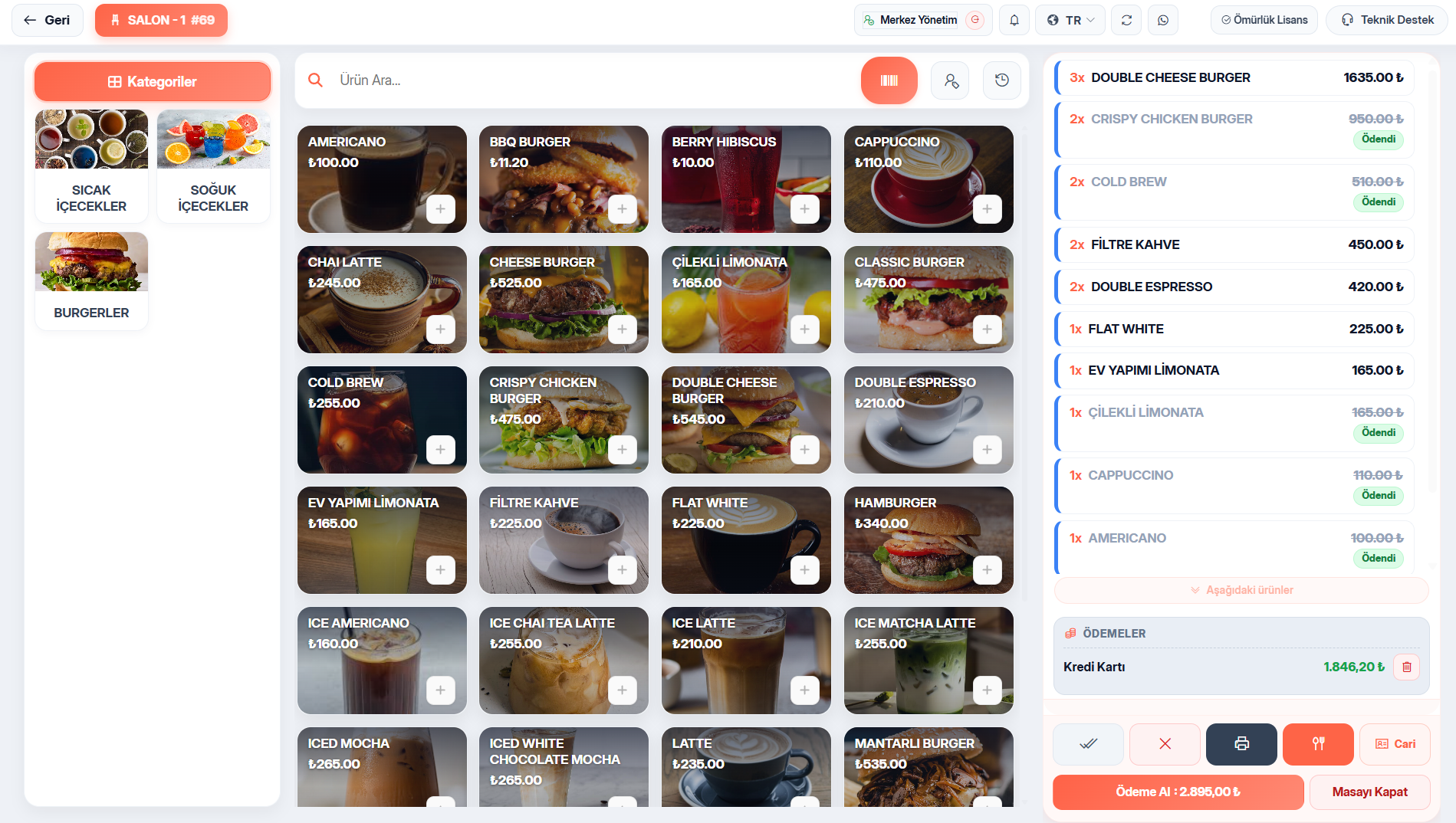
Before an item is added to the bill, the required quantity is calculated for every recipe ingredient, waste included, converted between units and compared with the stock on hand. If it's not enough, the order isn't added and the screen shows which ingredient is short and by how much. It's the system, not the kitchen, that tells the customer “we're out” — cutting void and refund losses from the start. If you prefer, you can remove this block by allowing negative stock on the stock card.
Counts, variances and waste
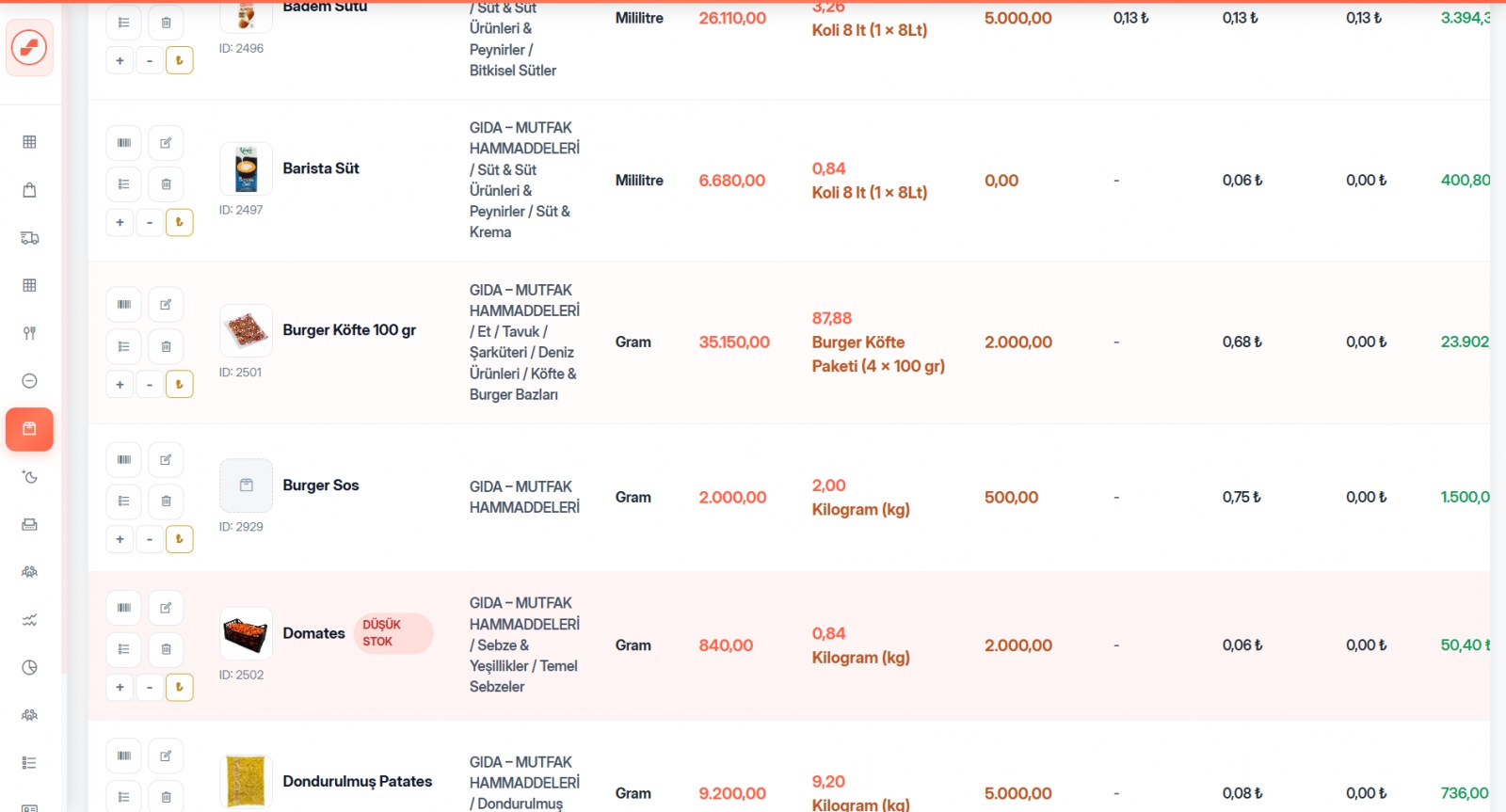
All items are listed with their current quantity, and you enter the counted quantity. Before saving, you see a summary of how many lines differ and how many are increases or decreases. The variance is posted to the stock movement log under its own reason code — corrections aren't hidden, they're on the record.
Every movement has a stated reason
Every line in the stock movement log is recorded with a reason code: sale, void, comp, write-off, production, production output, count adjustment, invoice entry, storeroom transfer, incoming transfer, outgoing transfer. The answer to “where did this ingredient go?” is always in the system.
Unit conversion and low-stock levels
Conversions are defined between case, kg, gram, liter, milliliter and piece; you buy by the case and use by the gram. You get alerts for items where you've set a low-stock level. You can bulk upload your product and stock lists via Excel.
Infrastructure that doesn't slow down at peak hours
Stock balances are kept incrementally, the way a bank balance is. Calculation time doesn't grow as movements pile up — the table runs at the same speed even with millions of rows. That's why the system doesn't slow down at 20:00 in the evening when forty tables are ordering at once.
About Inventory Management
At the moment of sale. When an item is added to the bill, stock is deducted according to the recipe, waste included. If the order is voided, the stock comes back and the void record isn't deleted — its status changes.
Yes, that's the default behavior. If a recipe ingredient is short, the item isn't added to the bill and the missing ingredient is shown. If you prefer, you can allow negative stock on the stock card to turn this check off.
Not at all. You define unit conversions such as case ↔ kg ↔ gram or liter ↔ milliliter. Purchases are made by the case, usage by the gram, and the cost is calculated correctly.
Inventory Management included — everything in a single license
8,500 ₺ + VAT per year. Try free for 10 days, no credit card required.
You might also like
Free QR Menu & QR Ordering
The QR menu is free and fully integrated. Change a price in the system and it changes on the menu instantly.
Automatic Costing & Profitability
Just enter your purchase invoice; unit costs and every recipe cost update themselves.
Order & Table Management
Opening, moving and merging tables, splitting bills and partial payments — every service scenario covered.