See profit, not just revenue
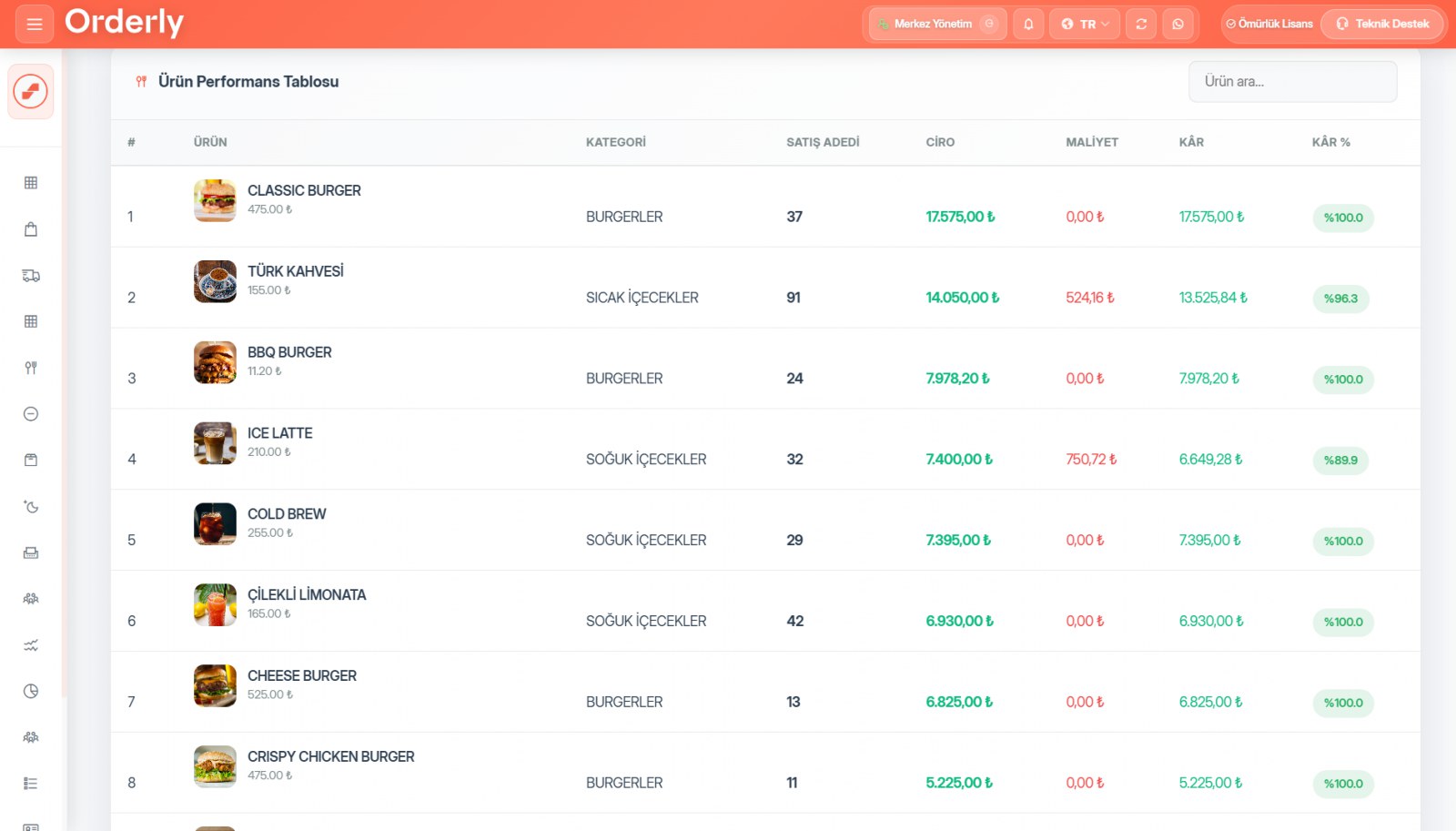
What matters isn't how many reports there are, but whether they answer your question: what did I earn today, which product carries the business, who sold what? Each has a ready-made screen.
Dashboard
Revenue, net profit, bill count and average basket — with the percentage change versus the previous period. Revenue trend, payment breakdown, hourly traffic, category sales, best sellers, staff performance, table performance (with average duration), expense summary, voids and refunds, and period comparison. Printable on A4.
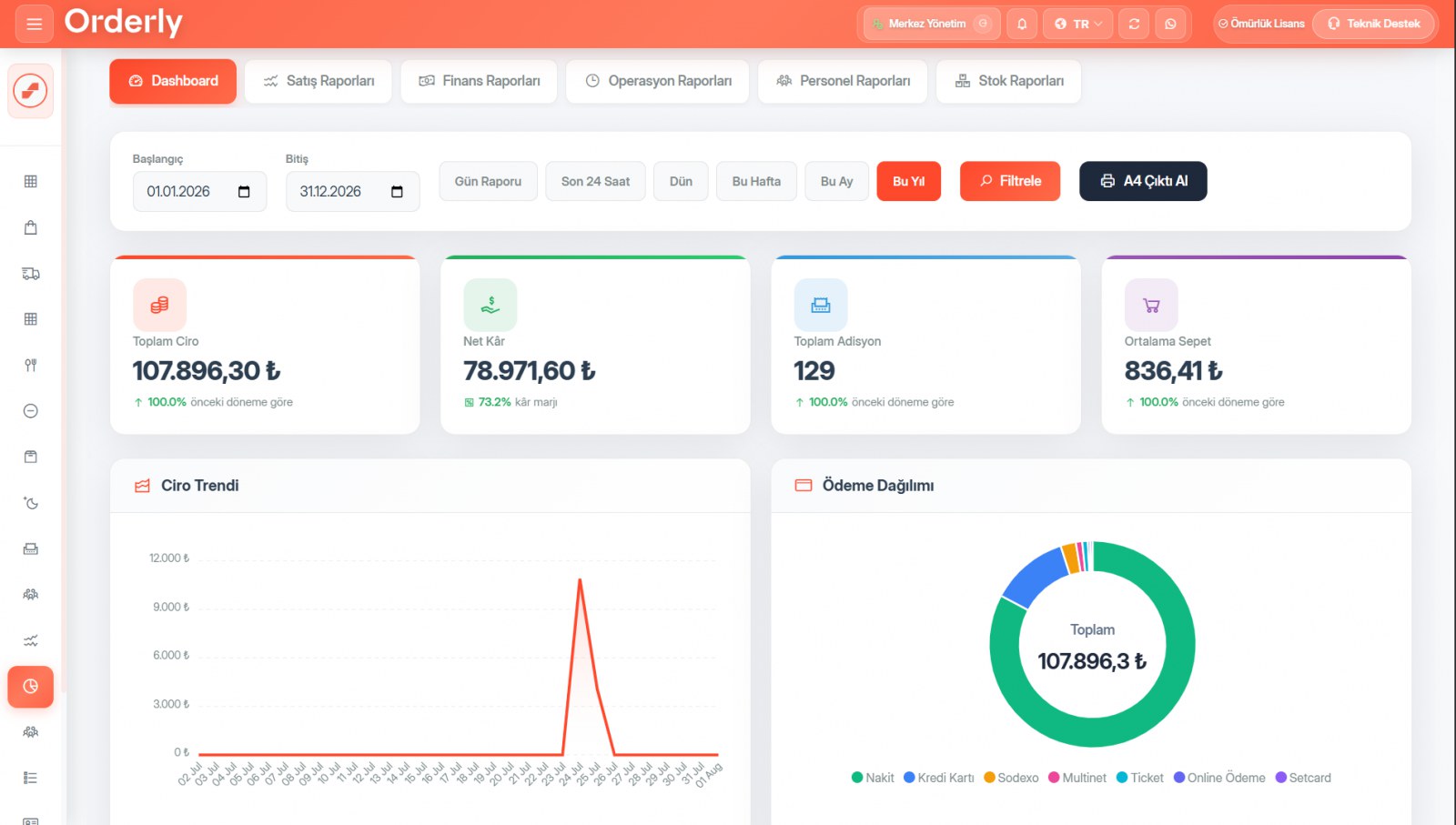
Six report screens
Sales: revenue, with product, category and channel breakdowns. Finance: profitability, expenses, VAT. Operations: hourly and weekly traffic, table performance, shifts. Staff: sales, profit, voids and refunds. Stock: low-stock alerts, total stock value, ingredient consumption. Production: counts, quantities, average unit cost, daily trends.
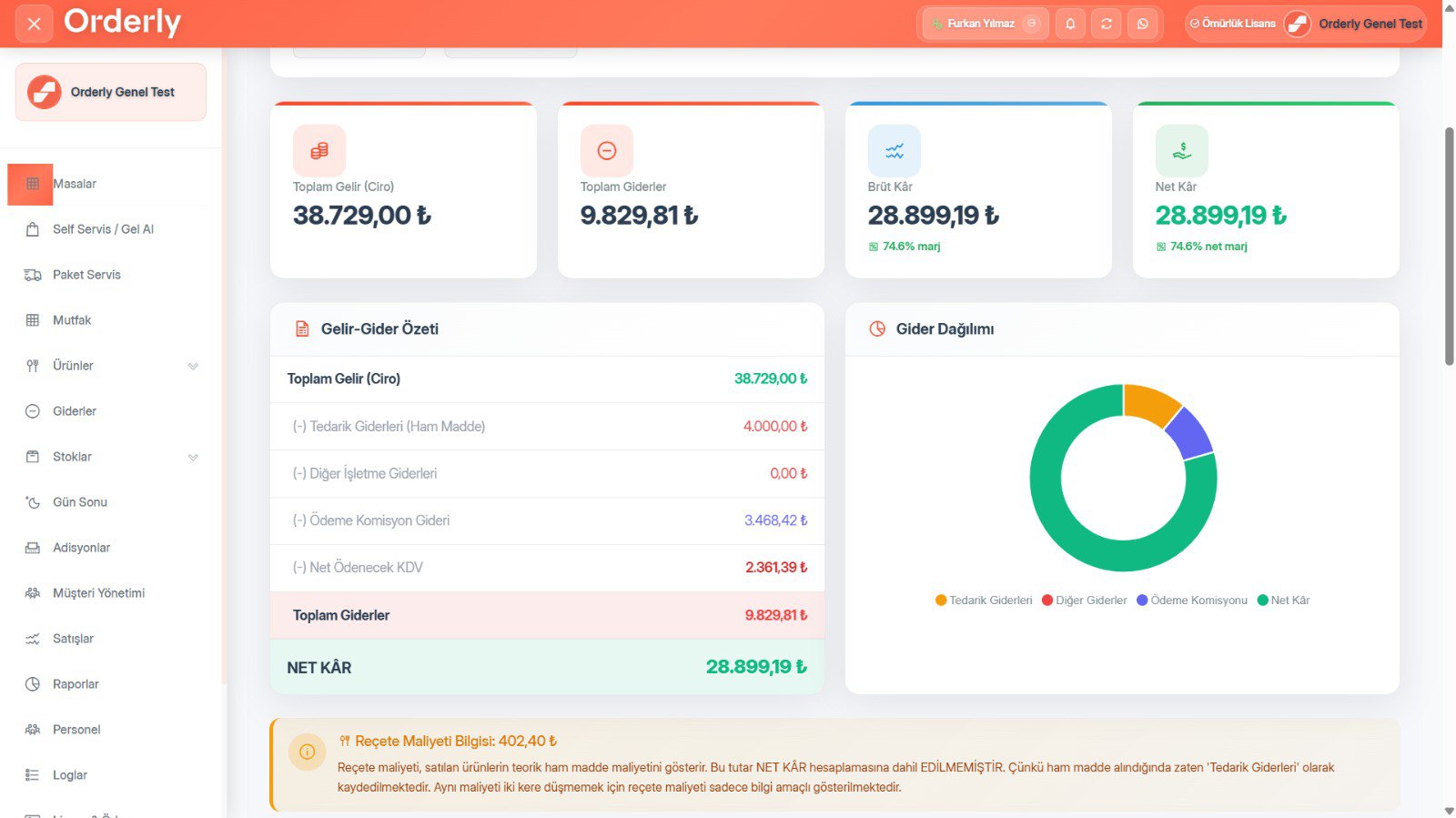
Commissions and VAT in profitability
The finance report takes revenue, supply costs, operating expenses, payment commissions and net VAT into account to give you gross and net profit margins.
Export
You can export your sales and activity records to Excel, and bulk upload your stock, product and customer lists from Excel. Reports can be printed on A4.
About Reporting & Analytics
Yes. The operations report includes a 24-hour and weekly peak-time analysis, so you can plan shifts around it.
You can export your sales and activity (log) records to Excel. You can also bulk upload your stock, product and customer lists from Excel. Every report screen can be printed on A4.
Reporting & Analytics included — everything in a single license
8,500 ₺ + VAT per year. Try free for 10 days, no credit card required.
You might also like
Kitchen Display & Station Management
Send every order to the right station: drinks to the bar, grills to the kitchen, desserts to pastry.
Waiter, Owner & Courier Mobile Apps
Three separate mobile apps — all three included in the license, with no extra device or license fees.
Caller ID — Mobile and Landline
When the phone rings, the customer's name, addresses and recent orders are already on screen. No PBX required.